Solo build · 2026
Wharfy
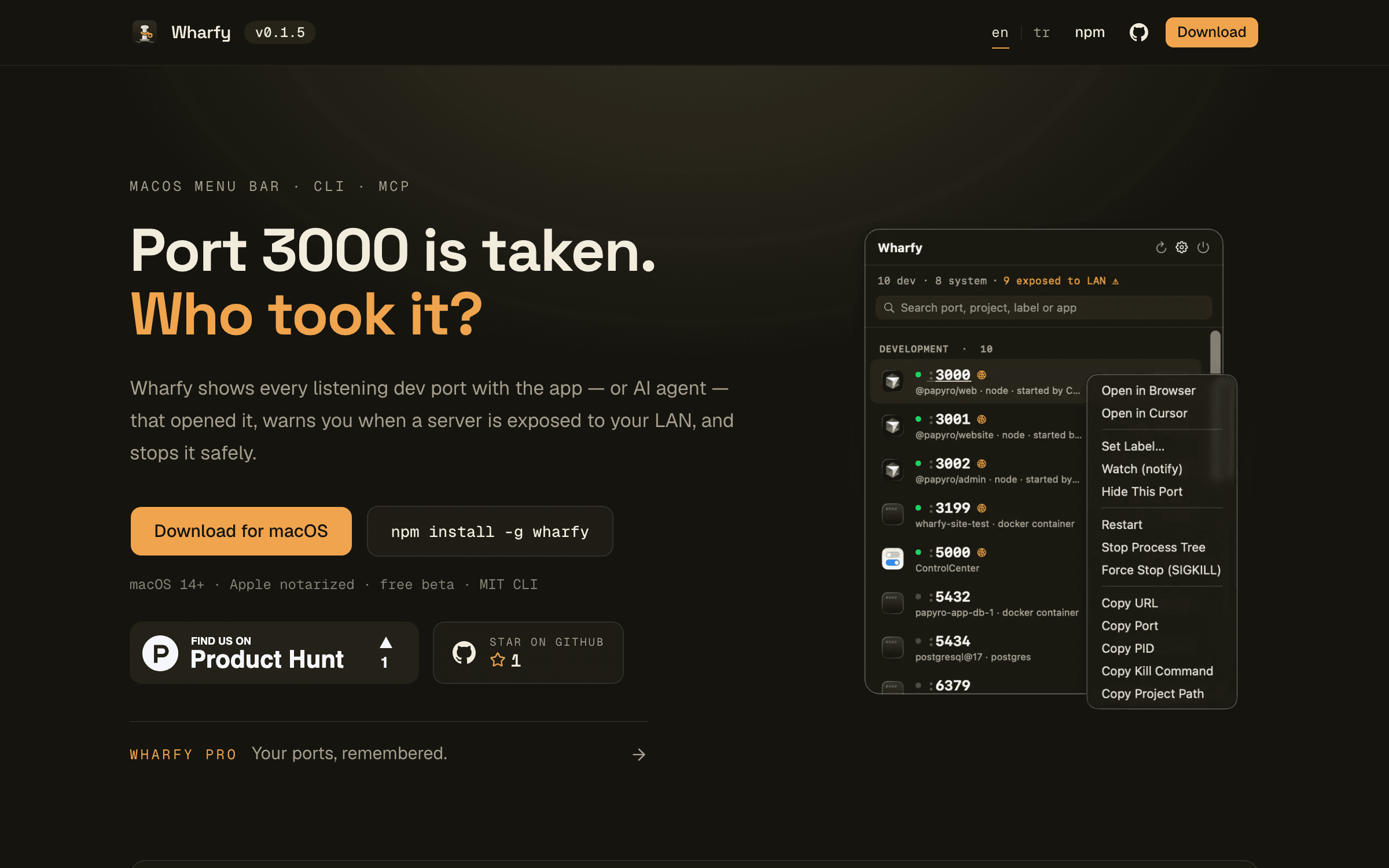
See what's on your dev ports, and which agent started it
The problem
Running several AI coding agents at once left me with orphaned dev servers on ports I couldn't account for. `lsof` tells you a PID, but not which agent spawned it or whether killing it is safe.
What I built
A SwiftUI menubar app that maps listening ports to processes and attributes them to the agent that started them (Claude, Cursor), plus a one-command kill. It ships with Sparkle auto-updates and a notarized DMG, and the same engine is exposed as a CLI on npm and as an MCP server so agents can clean up after themselves.
Outcome
Shipped publicly at wharfy.dev. The npm package is published through OIDC trusted publishing with build provenance, so releases are signed by CI rather than by a long-lived token on my machine.
Stack
- Swift
- SwiftUI
- TypeScript
- MCP
- Sparkle